
Blogs
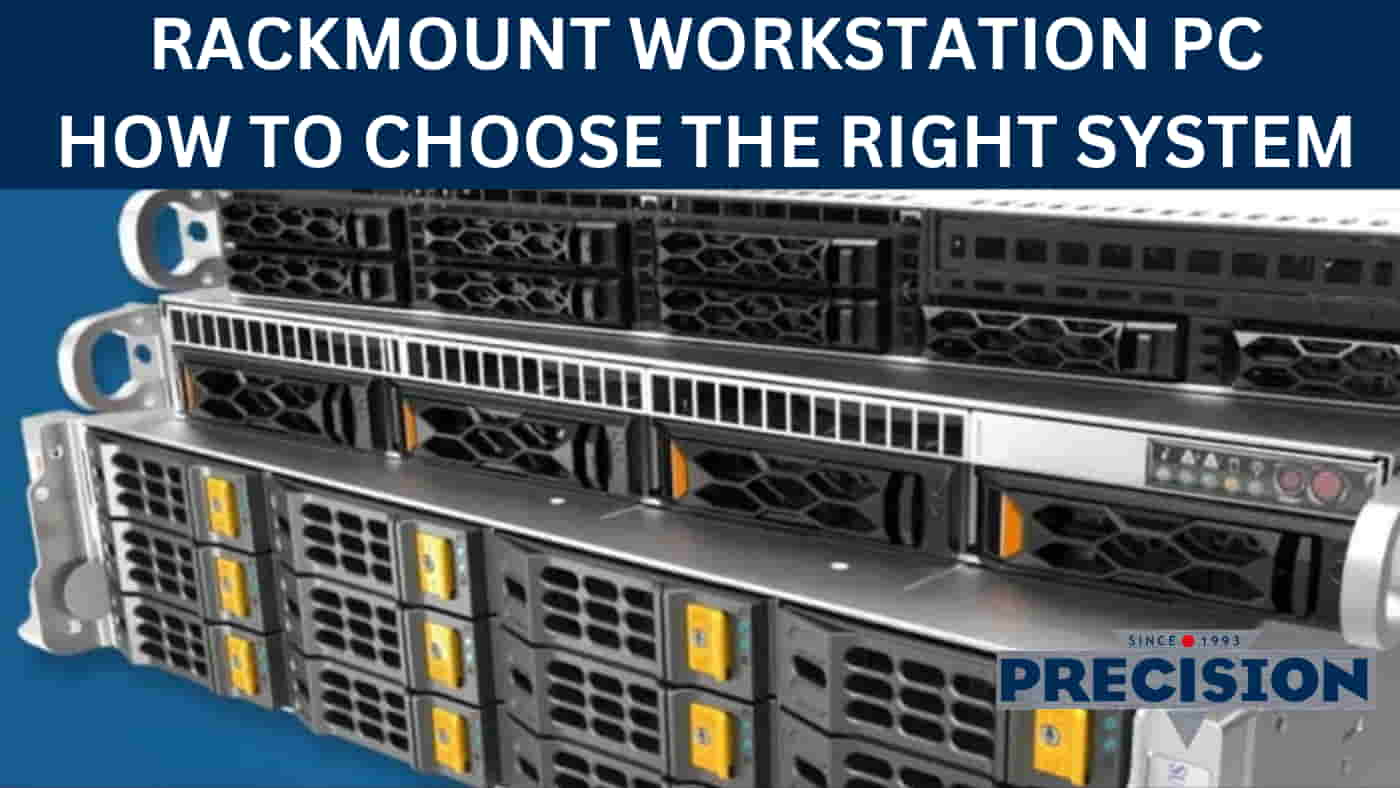
Rackmount Workstation PC | How to Choose the Right System in Australia

Table of Contents
- What Is a Rackmount Workstation PC?
- How Rackmount Workstations Differ from Tower Workstations
- Who Uses Rackmount Workstations in Australia?
- How to Choose the Right Chassis Size
- CPU Selection: Intel Core Ultra vs AMD Ryzen for Rackmount Builds
- GPU and Storage Requirements for Rackmount Workstations
- What to Look for in an Australian Rackmount Workstation Supplier
- Frequently Asked Questions
What Is a Rackmount Workstation PC?
A rackmount workstation PC is a high-performance computer built inside a specialised chassis designed to be installed in an equipment rack or server cabinet. Unlike a conventional desktop tower that sits beside or underneath a desk, a rackmount system is secured horizontally within a rack structure, allowing multiple computers and other IT equipment to be organised in a shared space.
For Australian businesses, engineering firms, production facilities and professional computing environments, this arrangement can provide a practical way to consolidate equipment while maintaining access to powerful desktop computing hardware.
A rackmount workstation is not necessarily a server. Although the two can look similar, they serve different purposes. A workstation is designed to run applications directly, supporting tasks such as computer-aided design, video editing, 3D rendering, visualisation, scientific computing and data analysis. A server typically provides shared services or resources to other computers, users or applications across a network. Some systems can perform overlapping roles, but the intended workload should determine the hardware configuration.
The main attraction of a rackmount workstation PC is the combination of computing performance and an organised physical installation. A business can place its workstations, networking equipment, storage and related infrastructure in a suitable cabinet rather than distributing individual tower computers throughout an office or production facility.
Rackmount systems are available in different chassis heights, commonly described using rack units, or U measurements. One rack unit, written as 1U, represents 44.45mm of vertical mounting space. A 2U chassis occupies twice that height, while a 4U chassis occupies four times that space.
Choosing the correct form factor involves more than measuring the available rack space. The chassis must accommodate the processor, motherboard, graphics card, power supply, storage devices and cooling system required for the intended workload.
For example, a workstation intended for intensive 3D rendering may need a larger graphics card, additional airflow and a substantial power supply. A more compact system designed for general business computing may have different requirements.
Precision Computers has been designing and building custom rackmount workstations in Brisbane since 1993. Our range includes 2U Rackmount PC Workstations, 4U Rackmount PC Workstations and Black Edition configurations.
Rather than treating every business requirement as identical, we configure systems around the applications, performance expectations, rack environment and future expansion needs.
The objective is straightforward: deliver workstation performance in a rackmount format that makes practical sense for the organisation using it.
How Rackmount Workstations Differ from Tower Workstations
The most obvious difference between a rackmount workstation PC and a traditional tower is its physical design.
A tower workstation is designed to stand independently, usually on the floor or underneath a desk. A rackmount workstation is designed to be secured to mounting rails inside a suitable equipment rack.
Neither format is automatically more powerful. Both can use capable processors, dedicated graphics cards, substantial memory and fast storage. The difference comes down to chassis design, physical installation, cooling arrangements and the available expansion space.
| Feature | Tower Workstation | Rackmount Workstation |
|---|---|---|
| Installation | Desk or floor | Equipment rack |
| Physical layout | Vertical enclosure | Horizontal chassis |
| Space management | Individual computer footprint | Consolidated rack installation |
| Cooling | Conventional tower airflow | Chassis-specific airflow |
| Expansion | Depends on tower size | Depends on rack height and chassis design |
| Equipment management | Distributed across locations | Centralised physical arrangement |
| Typical environment | Offices and workstations | Server rooms, studios and equipment rooms |
A rack installation can simplify cable management and physical organisation, particularly where several systems operate together. It can also make it easier to plan for additional equipment as a business expands.
However, rack-mounted systems require suitable cabinets, mounting arrangements and clearance for ventilation and maintenance. A rack is not simply a shelf with expensive computers in it.
The best format depends on where the computer will be installed, how it will be accessed and what hardware it needs to accommodate.
Who Uses Rackmount Workstations in Australia?
A rackmount workstation PC can suit a variety of Australian industries where powerful computing needs to fit into a structured equipment environment.
These systems can be particularly useful when a business wants to centralise its computers, consolidate equipment or integrate workstation hardware into an existing technical installation.
Industrial and Factory Automation
Manufacturing and industrial environments use computers for monitoring, production management, visualisation and other specialised applications.
A rackmount workstation can be configured for suitable control-room and technical-office environments where computing equipment needs to be installed alongside networking and other infrastructure.
Possible applications include:
- Production monitoring.
- Industrial data analysis.
- Engineering and design.
- Supervisory control applications.
- Manufacturing planning.
- Technical documentation.
The specific environment is important. A conventional rackmount workstation should not automatically be assumed suitable for direct installation on a factory floor exposed to excessive dust, vibration, moisture or extreme temperatures. Those situations may require a purpose-designed industrial or rugged computer.
Security Surveillance and CCTV Recording
Security surveillance is another area where rack-based computing can be useful.
A surveillance environment may require substantial storage capacity, continuous recording, multiple camera feeds and access to recorded footage.
A suitably configured computer can support the processing and storage requirements of certain surveillance applications, depending on the software and camera architecture.
Important considerations include:
- Number of cameras.
- Recording resolution and frame rates.
- Retention requirements.
- Storage capacity.
- Network bandwidth.
- Video management software.
- Playback and monitoring requirements.
For a dedicated surveillance deployment, it is important to consider whether a specialist surveillance PC is more appropriate than a general workstation.
Server Rooms, Data Centres and Business IT Infrastructure
Server rooms and data centres use rack equipment to organise computing, networking and storage hardware.
A rackmount workstation PC can be incorporated into these environments when a business needs powerful desktop computing hardware installed inside its existing rack infrastructure.
Examples include:
- Centralised graphics and engineering workstations.
- Media production and broadcasting equipment.
- Research and data analysis systems.
- Business computing installations.
- Dedicated processing equipment.
Remote accessibility and manageability can also be important, particularly where systems are installed in a separate equipment room.
Before installation, check rack depth, mounting arrangements, airflow, power capacity and the physical weight of the equipment.
Engineering, CAD and GPU-Accelerated Workloads
Engineering and design professionals can benefit from rack-mounted workstations when their applications demand substantial CPU and graphics performance.
Applications such as AutoCAD, Revit, SOLIDWORKS and other professional design tools can require capable processors, dedicated graphics hardware and sufficient RAM.
A rack-mounted configuration can be particularly useful for businesses that want to organise several workstations within a dedicated technical environment.
The actual hardware should be selected according to the software, project complexity and graphics requirements.
For related systems, explore our CAD Workstations PC range.
How to Choose the Right Chassis Size
Choosing the correct chassis size is one of the most important decisions when specifying a rackmount workstation PC.
Rack units measure the vertical space occupied by equipment. Common sizes include 1U, 2U and 4U, although rackmount enclosures are available in numerous other configurations.
| Chassis | Approximate Height | General Characteristics |
|---|---|---|
| 1U | 44.45mm | Compact, restricted internal space |
| 2U | 88.9mm | More room for cooling and selected expansion |
| 4U | 177.8mm | Greater component clearance and expansion potential |
These are chassis heights, not the complete external dimensions. Width, depth, mounting hardware and ventilation clearance must also be checked.
1U Rackmount PCs
A 1U enclosure is designed for installations where vertical rack space is particularly limited.
Its compact dimensions can suit specialised computing applications, network appliances and certain dedicated systems.
However, the reduced internal space creates design challenges. Cooling, power delivery, graphics card dimensions and expansion options can all become limiting factors.
A 1U chassis is therefore not automatically the right choice for a high-performance graphics workstation.
Businesses should consider the actual component requirements before selecting such a compact format.
2U Rackmount Workstations
A 2U chassis provides more internal space than a 1U enclosure while remaining relatively compact.
For businesses wanting rack-mounted computing without occupying excessive vertical space, it can provide a useful balance.
Depending on the chassis and motherboard, a 2U rack-mount workstation PC can accommodate capable processors, memory, SSD storage and selected graphics configurations.
The main considerations include:
- Graphics card height and length.
- Available PCIe expansion slots.
- Processor cooling clearance.
- Power supply dimensions.
- Storage bay availability.
- Airflow through the enclosure.
Precision Computers offers a dedicated 2U Rackmount PC Workstations range for customers who prefer a more compact workstation format.
4U Rackmount Workstations
A 4U enclosure provides considerably more vertical room for components.
This can be useful when the workstation requires a larger graphics card, additional storage, more expansion slots or a more substantial cooling arrangement.
For demanding applications such as 3D rendering, engineering, video production and data analysis, the additional internal space can make component selection more flexible.
A 4U rackmount workstation PC is not automatically faster than a 2U system. Performance still depends on the components installed. However, the increased chassis space can make it easier to accommodate certain high-performance configurations.
Precision Computers offers 4U Rackmount PC Workstations and specialist Black Edition configurations.
CPU Selection: Intel Core Ultra vs AMD Ryzen for Rackmount Builds
The processor is central to workstation performance, but the right choice depends on the intended applications.
Intel Core Ultra desktop processors and AMD Ryzen processors provide different configurations of cores, frequencies, platform features and memory support.
For a rackmount workstation PC, the processor should be selected according to the tasks it will perform.
For example:
- CAD and engineering applications may benefit from strong single-core performance and suitable multi-core capability.
- 3D rendering can benefit from additional processing cores, depending on the rendering engine.
- Video production workloads may use both CPU and GPU acceleration.
- Data analysis and simulations may have application-specific processing requirements.
It is also important to consider the complete platform, including motherboard compatibility, memory support, PCIe connectivity and processor cooling.
The newest or most expensive CPU is not automatically the best purchase. A balanced configuration that meets the application requirements will usually provide better value than spending the entire budget on processing power.
GPU and Storage Requirements for Rackmount Workstations
Graphics and storage require particular attention because rackmount chassis can have different internal space and expansion limitations compared with tower computers.
GPU Considerations for Rendering and Visualisation
A workstation used for CAD, 3D modelling, rendering or video production may benefit from a dedicated graphics card.
NVIDIA RTX graphics hardware, for example, can provide GPU acceleration for compatible applications and rendering engines.
However, not every rackmount chassis can accommodate every graphics card.
Before selecting a GPU, consider:
- Card length and physical height.
- Number of expansion slots occupied.
- Power supply capacity.
- Required power connectors.
- Cooling and airflow.
- Available PCIe connectivity.
- Application compatibility.
A graphics card that fits physically must also receive sufficient cooling and power.
NVMe SSD and RAID Storage Options
Fast storage is important for modern professional workstations.
NVMe SSDs can provide high data-transfer performance for operating systems, applications and active project files.
Larger SSDs or additional storage devices can be useful when working with video footage, engineering data, 3D assets and other substantial project files.
RAID configurations may also be appropriate for certain storage requirements, depending on the controller, motherboard and intended application.
It is important to understand that RAID is not a substitute for a proper backup system. A separate backup strategy remains essential for protecting business data.
A practical storage plan should consider:
- Operating system and application storage.
- Active project and working-file storage.
- Additional capacity for archives.
- Independent backups.
- Future expansion requirements.
What to Look for in an Australian Rackmount Workstation Supplier
Buying a rackmount workstation PC involves more than selecting a processor and chassis.
The supplier should understand how the complete system will be installed and used.
Before purchasing, consider these factors:
Custom configuration | Can the supplier select components around your software and workload?
Chassis compatibility | Are the dimensions, mounting requirements and internal component clearances suitable?
Cooling | Has airflow been considered for the selected processor and graphics hardware?
Power requirements | Is the power supply appropriate for the installed components and expected load? Storage and expansion: Can the system accommodate additional drives, memory or expansion cards where supported?
Warranty | What protection is provided for the complete system?
Technical support | Can you obtain assistance after installation?
Local experience | Can the supplier discuss your requirements and provide support within Australia?
For businesses in Brisbane, dealing with a local workstation builder can also simplify discussions about configuration, delivery and ongoing technical assistance.
FAQs
What is a rackmount workstation PC?
A rackmount workstation PC is a computer built inside a chassis designed to mount in an equipment rack. It provides workstation computing performance for professional applications while allowing equipment to be organised within a suitable cabinet.
What is the difference between a rackmount workstation and a server?
A workstation is generally designed to run professional applications directly, such as CAD, rendering and video editing software. A server typically provides shared services, storage or computing resources to other users and devices. Some systems can perform both roles, depending on their configuration.
What is the difference between a 2U and 4U rackmount workstation?
A 2U chassis occupies approximately 88.9mm of vertical rack space, while a 4U chassis occupies approximately 177.8mm. A 4U enclosure generally provides more physical room for expansion, cooling and larger components, depending on the design.
Is a 4U workstation more powerful than a 2U workstation?
Not automatically. Performance depends on the processor, graphics card, memory and storage installed. A 4U chassis generally provides more internal space, which can make it easier to accommodate certain high-performance configurations.
Can a rackmount workstation run CAD and 3D rendering software?
Yes. A suitably configured rackmount workstation can run professional applications such as AutoCAD, SOLIDWORKS, Revit and 3D rendering software. Hardware selection should be based on the specific application requirements.
Can a rackmount workstation be used for video editing?
Yes. A rackmount workstation can be configured for professional video editing, including workloads involving high-resolution footage, GPU acceleration and large project files.
Does a rackmount workstation require special cooling?
Rackmount systems require cooling appropriate to their chassis and installed components. Airflow, fan selection, processor cooling, GPU heat output and cabinet ventilation should all be considered.
Can rackmount workstations be upgraded?
Many rackmount workstations support upgrades to memory, storage, graphics cards and other components. The available options depend on the motherboard, chassis dimensions, power supply and existing configuration.
Does Precision Computers build custom 2U and 4U workstations in Brisbane?
Yes. Precision Computers builds custom 2U and 4U rack-mount workstations in Brisbane, along with specialist Black Edition configurations for demanding professional workloads.
What warranty and support does Precision Computers provide?
New systems include a 3-year warranty and 5 years of technical support.
Does Precision Computers offer delivery in Brisbane and interstate?
Yes. Free shipping and delivery are available on new systems within the Brisbane metropolitan region. Australia-wide shipping is also available.